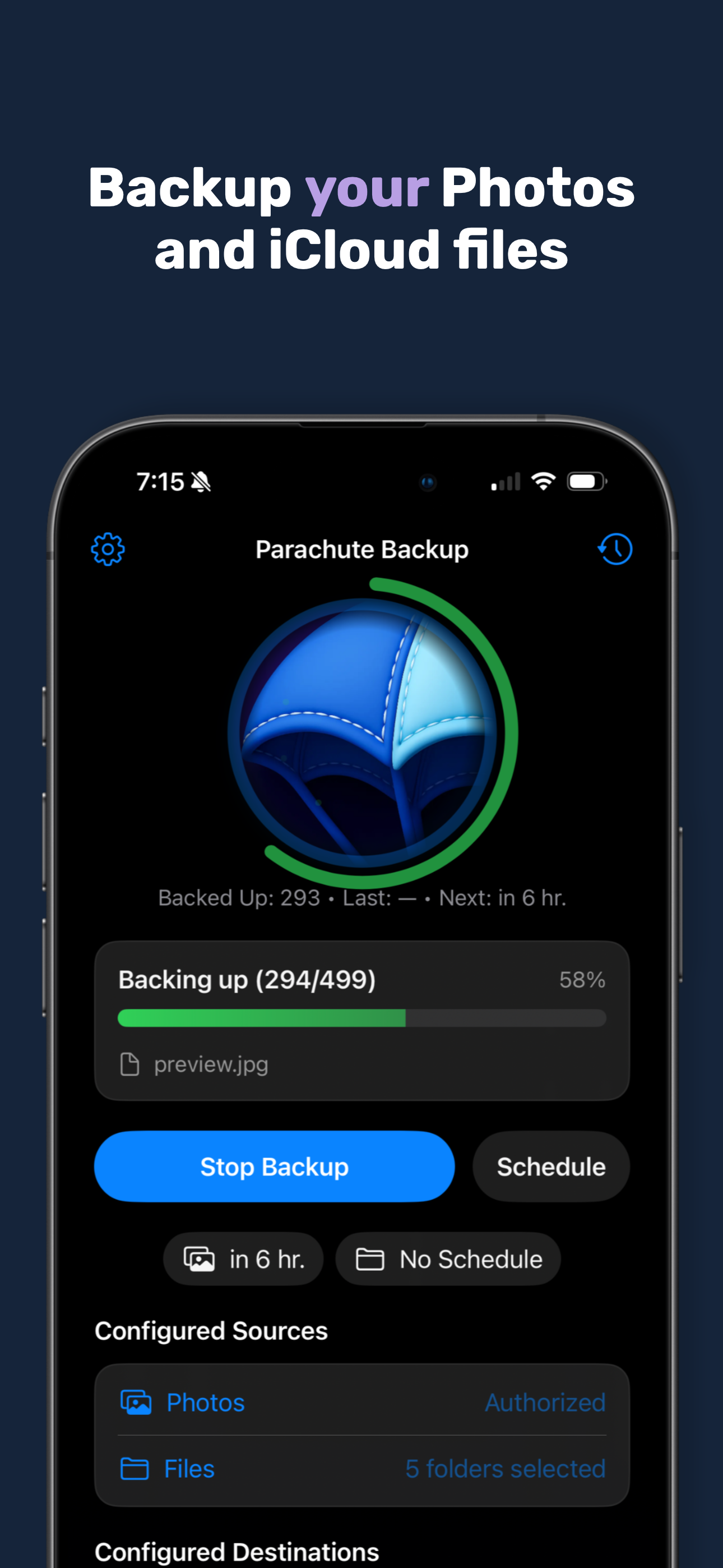
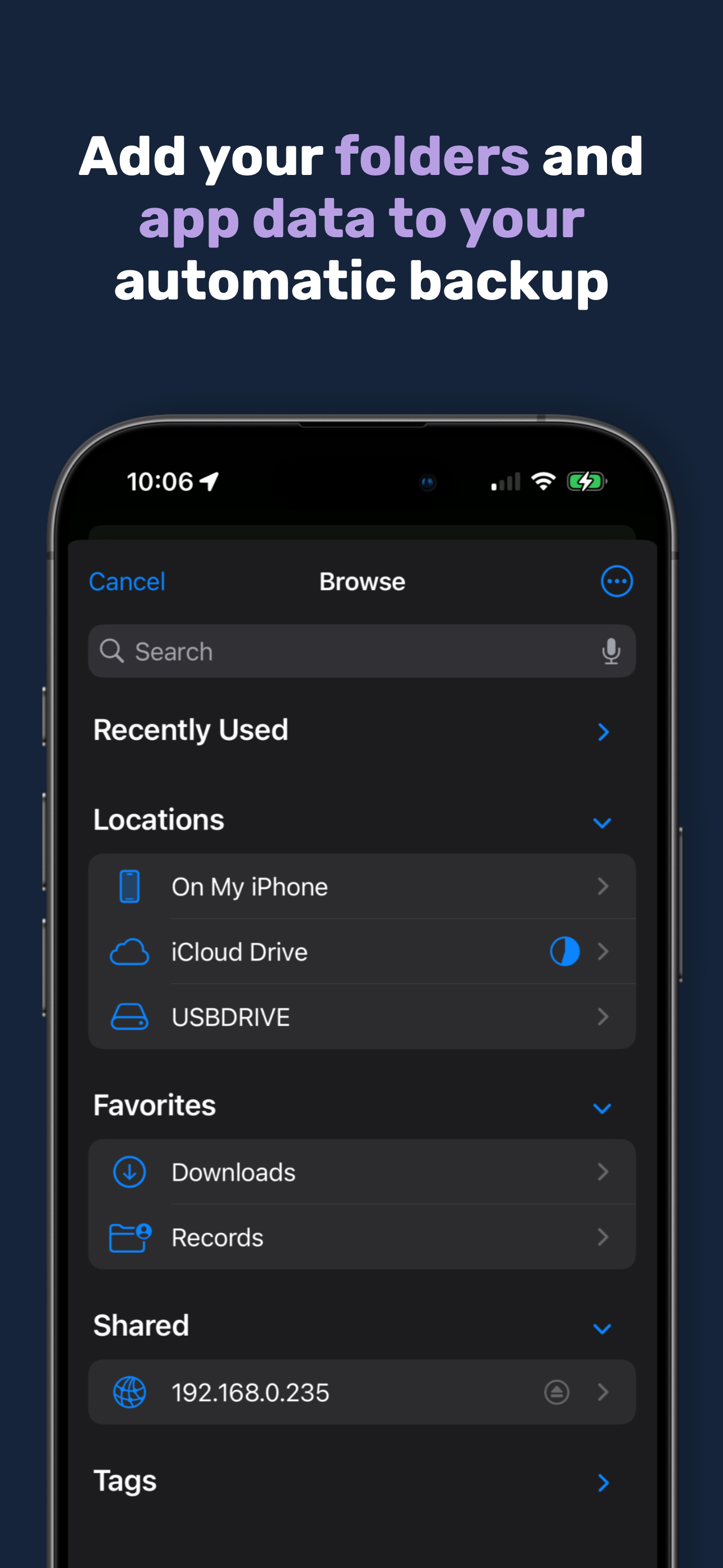
Parachute for iOS is a set-and-forget backup companion for iCloud Photos and iCloud Drive.
Parachute Backup
Parachute Backup
No Subscriptions. No Lock-In.
One-time setup. One-time purchase. Your files, backed up where you want.
Complete Backup Solution
Full iCloud Photos and iCloud Drive backup with complete fidelity preservation.
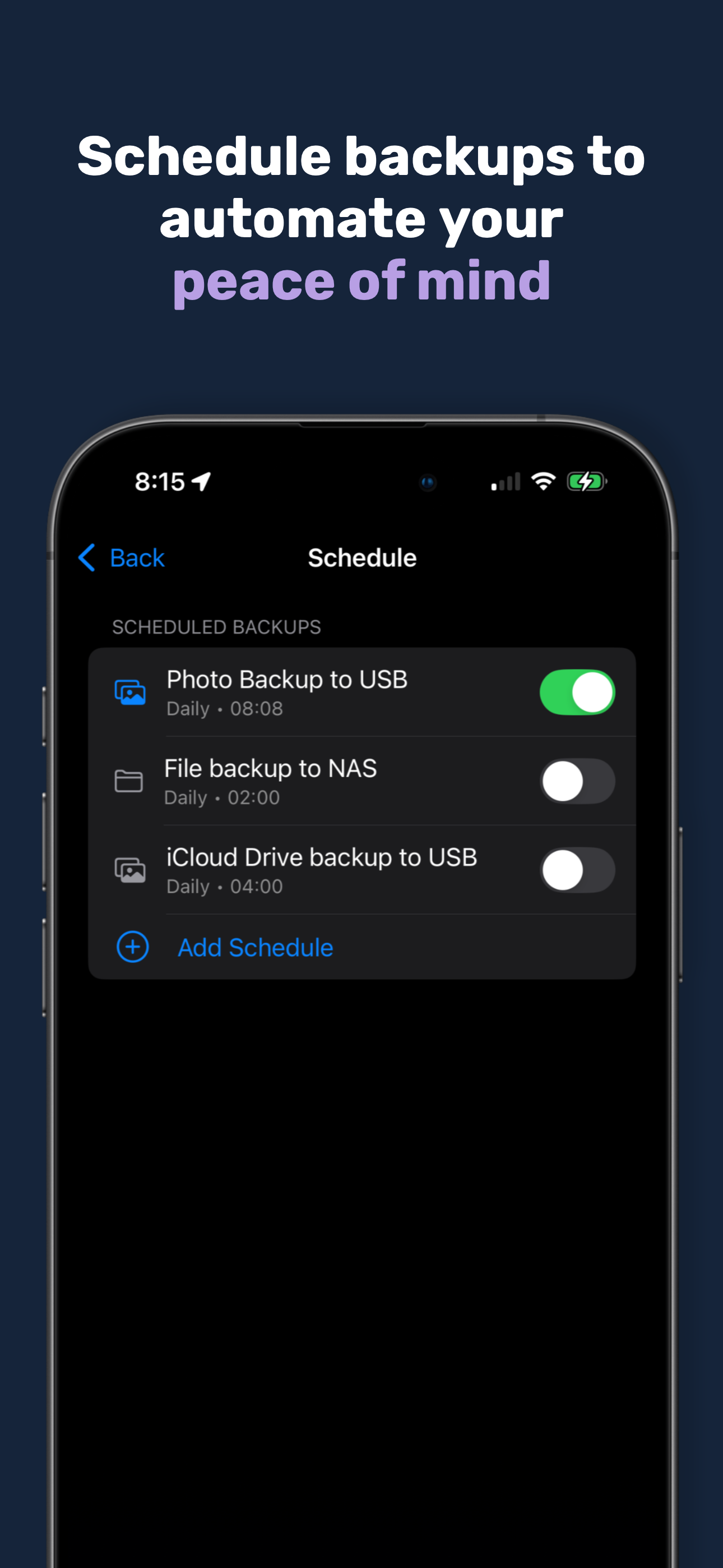
Scheduling & Manual Backups
Manual or scheduled runs, with the ability to override the schedule at any time.
Your Storage, Your Rules
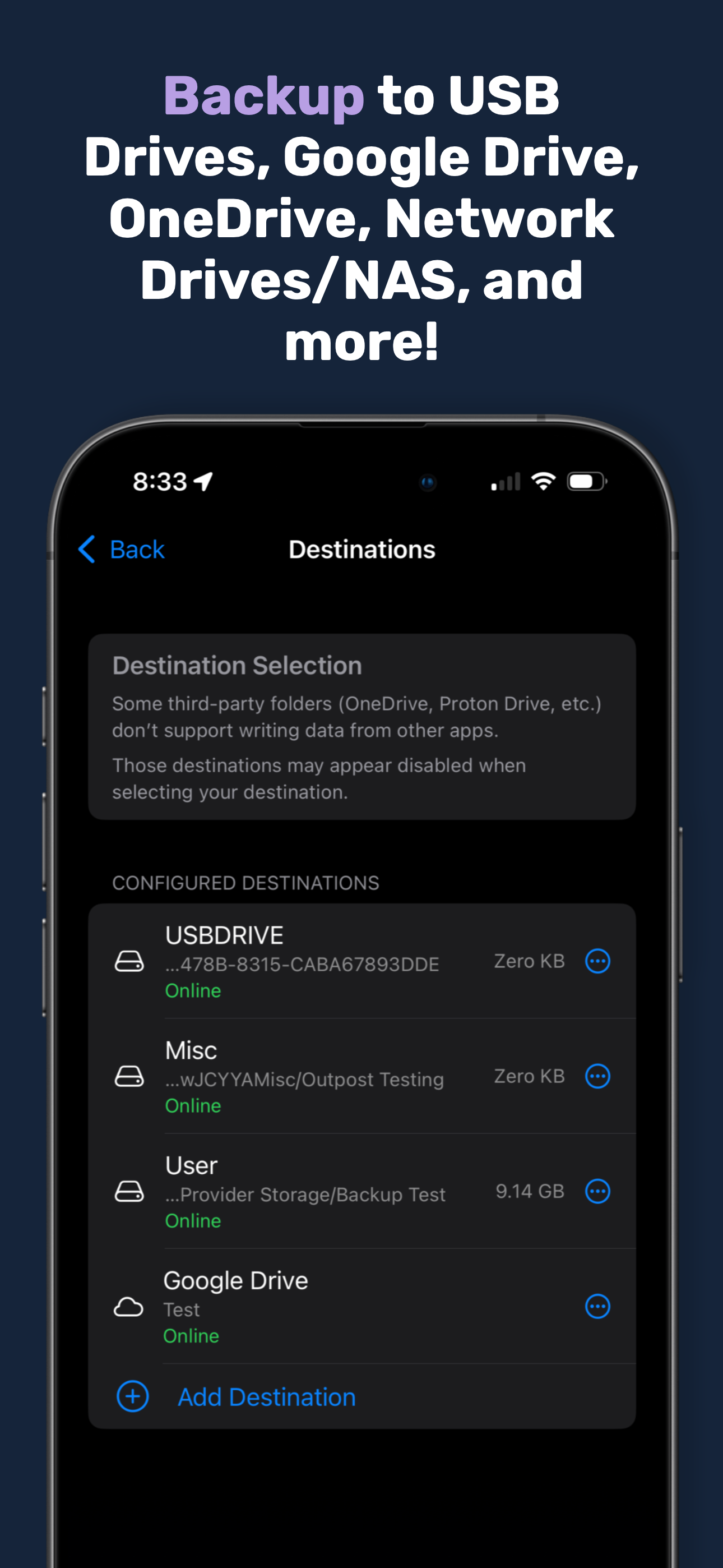
Back up to a USB drive, network drive, NAS, Google Drive, S3, OneDrive and more.
Smart Offloading
Avoid filling up device storage during backups with intelligent management.
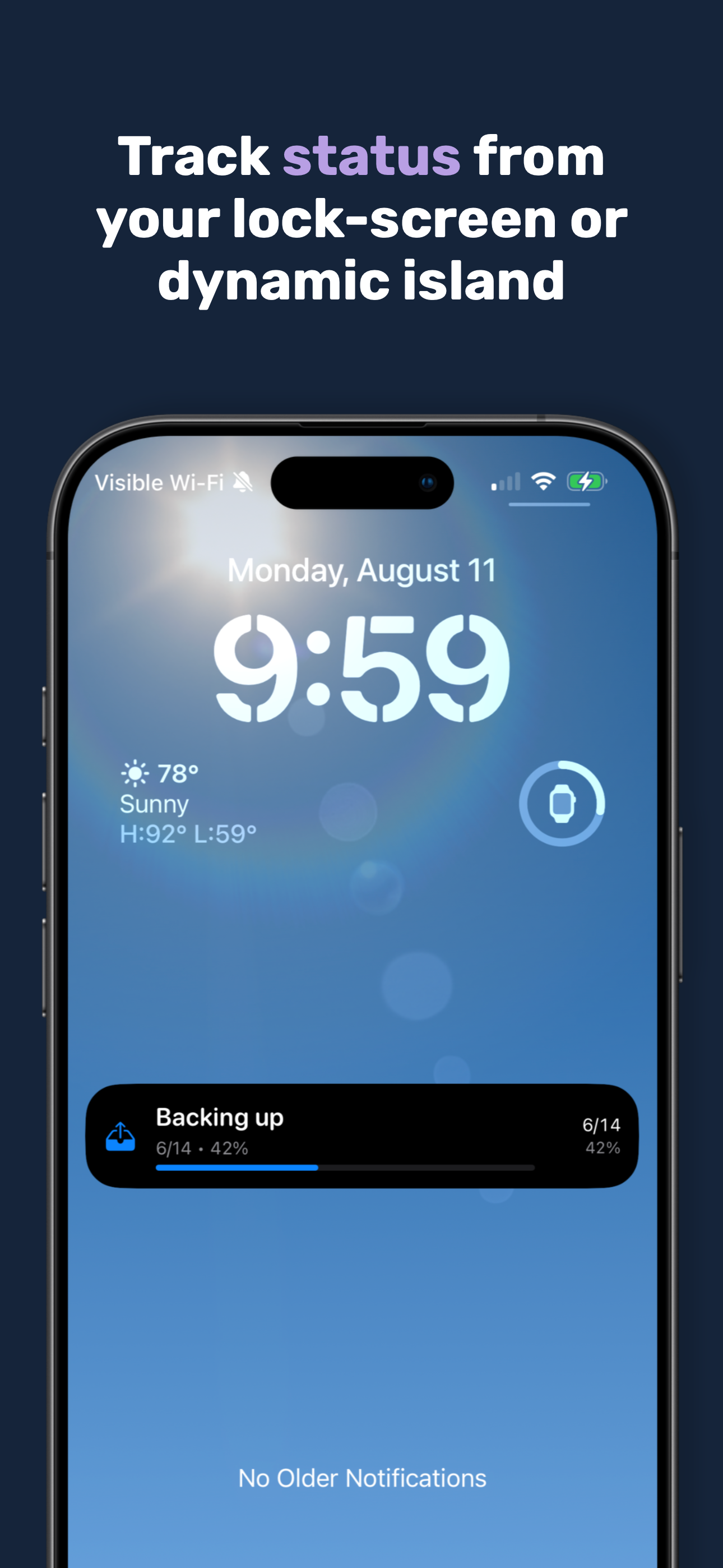
Live Activities + Dynamic Island
Integrated Live Activities and Dynamic Island status for easy visibility of backup progress.
Automate With Shortcuts
Create custom schedules and automate backups with Shortcuts integration.
What People Are Saying
Real App Store feedback from customers worldwide.
4.5
★★★★★
Based on 242 ratings
Genius
★★★★★
Does what it says - the only thing missing is notes - but still brilliant
Excellente idée
★★★★★
Excellente idée que celle de proposer une sauvegarde des documents d’iCloud sur un disque externe ou sur un autre cloud.
Néanmoins les sauvegardes sont lentes, très lentes, trop lentes.
Et il manque l’option de sauvegardes incrémentales qui pourraient être beaucoup plus véloces.
Dans une prochaine mise à jour, j’espère !
Perfekt!!
★★★★★
Super Backup App. Nutze sie um alle meine Fotos auf mein NAS zu sichern. Habe dazu einen Kurzbefehl erstellt, welcher das Backup automatisch startet, sobald das iPhone lädt, sich zu Hause befindet und mit meinem WLAN verbunden ist. App ist sehr einfach und intuitiv zu bedienen.
Einfach, schön und transparent zu nutzen
★★★★★
Die Anwendung ist sehr intuitiv zu bedienen. Die Oberfläche ist sehr ansprechend und die Backup-Aufgaben von sogar großen Datenmengen (>20 GB) funktionieren sehr stabil sowohl über iOS als auch macOS
Take control of your phone backup!
★★★★★
I found that Parachute is just straight to the point and provides an incredible option to just Backup your photos, videos and files to Backup destination of your choice. Common destinations Like Google Drive, OneDrive and an S3 bucket or a local NAS
New user
★★★★★
I have just started using this app, but it looks like it solves enough of my backup issues, so I like that. Also want to thank the devs for adding Shortcuts support, that will also come in handy. Pretty nice app!
Very useful app
★★★★★
I am using it to backup to an external drive connected to my Raspberry Pi using Samba. Works perfectly. Make sure to use ext4 filesystem.
Excellent UI
★★★★★
Set up my NAS at home ages ago, this was the app that made it easy to backup 15 years of iCloud files
Funktionierende App für iCloud Backup
★★★★★
Tolles, gut funktionierendes Backup für das iCloud Drive. Das Userinterface hat noch Weiterentwicklungspotenzial. Schnelle Antwort des Entwicklers auf Fragen.
Ganz wichtig, kein Abo!
Definitiv eine Kaufempfehlung.
Peace of Mind for My Photos and Files
★★★★★
I first heard about Parachute Backup Mobile on the ATP podcast while looking for a reliable way to back up my iCloud Drive files and photos.
The app worked perfectly on both my iPhone and iPad. I was able to back up everything to my NAS as well as to an external SSD that I keep at a separate location. Having multiple backups gives me real peace of mind in case disaster strikes.
The app is easy to set up and use, and it does exactly what I need it to do. If you’re looking for a straightforward way to create independent backups of your iCloud data and photos, I can highly recommend it.
Endlich iCloud Backups einfach auf USB Stick erstellen
★★★★★
Sehr guter Ansatz. Ich zahle nicht leicht für eine App, aber die App ist es mir Wert. Es funktioniert wirklich einfach. Kann sie verbessert werden? Ja, aber ich bin sehr happy das sie so funktioniert. Getestet an iPad pro, Iphone 15 pro. Bitte noch eine deutsche Menüführung.
Simples e eficaz
★★★★★
Simples e eficaz - Faz exactamente o que vem na descrição.
intuitiva ed affidabile
★★★★★
Finalmente la possibilità di effettuare un backup trasparente dei dati e foto memorizzati in Icloud con possibilità di averne copie aggiuntive Sarebbe ottimale selezionare più album di foto
Excellent so far
★★★★★
Love the NAS support. Easy to setup
Best backup for iPad
★★★★★
Easy to install and run. It backup photos and videos from iPad in just minutes. Future backups will only copy files not previously backed up.
A great idea, well executed
★★★★★
I’m a huge fan of this app. It has a few rough edges but that’s OK because its core functionality seems quite solid.
Love it.
★★★★★
This back up app has immeasurably increased my confidence in the security of my data. Virtually all of my important content is either in my iCloud photos or my iCloud files. Parachute operates easily and efficiently from my new MacBook Neo to secure all of the files I use on my MacBook iPad and iPhone. I highly recommended it.
Efficient
★★★★★
This piece of software provides an additional piece of mind for me for my iCloud files and photos. It’s extremely easy to set up and very efficient. I would recommend it to anyone who needs it.
Final the solution we have been waiting for
★★★★★
I’ve tried many ways to have a reliable way to back up files and photos and this is it. It’s not a subscription. That in itself is very important. Don’t rely on iCloud because when a file or photo is removed on your phone it disappears on your iCloud backup. Buy this. You won’t regret it.
One of the few options out there
★★★★★
Neat solution for on device backups
Amazing
★★★★★
Thank you for creating this 👌
Nice app !
★★★★★
A great app for quickly backing up files, photos, and videos from my iCloud Drive to the NAS on my network. Simple and easy to use. I'm very happy with this app.
Great, with some room for improvement
★★★★★
Overall I like the app and what it offers very much. Though if you have more than one source and one location, I miss some configurabiliy:
- Need to name sources: if selecting a typical app documents folder, they are all named “Documents” and can not be distinguished; custom name config would be appreciated
- Sets: I want some sources be backed up to some destinations, and other sources to other destinations; would be great if we could set this up as a “Set”
A Promising Start
★★★★★
Parachute is a great way to back up iCloud data from my phone. The app is pleasant to use and generally works well.
However in some places it’s quite noticeable that the app was released only a few months ago and is not very mature yet.
The backup process does not clean up deleted or renamed files, and there is no way to configure offloading cloud-only files. Also the list of supported storage providers is still quite short and lacking basics like WebDAV and SFTP. All of these shortcomings have solutions in Parachute for Mac so clearly the developer knows how to address them. I hope those will soon make their way into the iPhone version as well.
Great app
★★★★★
The app does exactly what it says it does, and works rather well.
There’s room for improvements, like exporting AAE files, mirror mode for photo sync, and a bit speedier incremental backups, but overall it gets the job done.
Highly recommended!
Keep up to date
★★★★★
It’s a good app but has some issues likely due to how iOS handles background tasks. But iOS 26.1 will likely have support for third party background photo backup. Pls developers keep it up to date!
Tolle App
★★★★★
Endlich eine einfache Möglichkeit alle Dateien Lokal oder auf einem externen Speicher zu sichern. Das erste Backup hat sehr lange gedauert, lief aber Problemlos durch.
Ottima
★★★★★
Batte tutti i sistemi per il backup delle foto (idrive, proton, mega….) salva le foto live, le modifiche, le sequenze, i raw, gli album condivisi e fa il backup anche della parte Drive. Infine non solo è possibile scegliere il repository ma anche usare Comandi Rapidi per schedulare le attività di backup. Infine ciliegina sulla torta, le notifiche push impediscono che l’app venga messa in standby durante il backup.
Great app
★★★★★
I use it to back up to my NAS. The only thing I miss is faster indexing of files that are already backed up, and the option to set a cutoff date so old files don’t get re-indexed every time.
Custom S3 Endpoint
★★★★★
This app WILL ALLOW you to define a custom endpoint for an S3 bucket to backup to. I didn’t see that mentioned in the description, and it was the most important feature for me.
Apple family purchase sharing also works with this app so you only need to buy it once for the whole family.
And beyond that it backups up real conveniently just like the description states. It’s not automatic like Google Photos or similar apps, but you can automate it with the shortcuts app which this app walks you through how to do. Really happy I found this and can use the S3 I already pay for instead of having to pay a monthly fee for a bloated cloud tool.
Does exactly as it says on the tin
★★★★★
My backup case for this is photos, to Synology, over Tailscale. Driven on-demand when I connect to my own WiFi in the mornings - cool automation helpers are built in.
Next stop, OneDrive 👍🏻
Everyone should think about backups
★★★★★
Great option to backup your ICloud based stuff. I am only using the option to backup files but should work for photos as well. Works as you would expect. One improvement would be to correctly set the creation/modification times of files processed.
Great app!
★★★★★
Beautiful design, intuitive app
The fact that you have to manually add app folders to back them up complicates saving in app-specific folders, and the app gets a little hot when the backup takes several minutes.
But apart from that, everything works very well, bravo!
Ganz große Klasse!
★★★★★
Eine tolle und sehr funktionelle App, auch für Dummies wie mich;)
Danke
An essential app!
★★★★★
iCloud is a great place to backup your iPad and iPhone photos and files. However, it is (was) the only backup if you only use an iPad and/or an iPhone. Parachute now gives you an additional backup capability.
This app allows you to supplement iCloud backups with backups to other cloud storage providers and/or to external drives. In my case I use SD cards and USB thumb drives.
Parachute is easy to use and has really good developer support.
Highly recommended!
Regards,
Peter
I wish Dropbox support can be added
★★★★★
Currently the app doesn’t have an option to choose Dropbox as a destination, I hope it can be added in the future.
Good app, minor issues
★★★★★
App isn’t showing photo count or size uploaded. Always states zero even though photos are uploading.
Webdavs
★★★★★
Sobald Web das integriert wurde, bekommt diese App den 5 Stern
Great App, just needs some tweaks.
★★★★★
App is great, straight forward and easy to use. However, there are a couple of bugs I noticed. 1. The progress bar does not progress when locked or in the dynamic view, the % just stays the same unless you open the app. 2. If i close the app completely, it does not keep the last backup results.
Backup beast
★★★★★
Nice app for performing photos backups. I had used Photosync previously and it was a lot more expensive (monthly subscription). This was a single few dollars and it works and looks great.
Absolute 10/10
★★★★★
Backup auf das NAS läuft perfekt und schnell
Fantastic option for backups
★★★★★
If you are looking for an easy backup solution, this is it. Great design and simple to use.
Sehr gut
★★★★★
Funktioniert klasse mit lokalem Speicher und seit kurzem auch auf Onedrive - iCloud sowieso.
Good, but…
★★★★★
Overall I think it’s a good app, but right now as someone backing up to usb at least it doesn’t tell me how big the backup will be. So hard to know how large a drive I need to attach
Super Backups
★★★★★
Unkomplizierter kann seine Daten nicht lokal speichern! Die Einrichtung ist einfach und selbsterklärend
Not sure what you’re waiting for…
★★★★★
…you should absolutely download this app. My strategy for backing up my iOS photos and files was haphazard at best. This takes out the guess work. You should pay the Mann (get it?), spend the $4, and download the app.
iOS and MacOS
★★★★★
I’ve been using Parachute Backup alongside my iCloud storage (6 TB plan) and it’s a great complement.
I run both iOS and macOS, but I mainly use the mobile app. It’s simple, reliable, and gives me peace of mind knowing I have not just sync, but a real backup as well.
Great piece of software
★★★★★
Like everything on it : one time purshase, no added cost, excellent support from developer and of course perfectly works !
Exceptional!!
★★★★★
Does exactly what it says it does. No more no less. Straight forward and easy setup for backup to an unRAID share. Highly recommended for those of us that self host.
Great app
★★★★★
Everyone should have a backup of their files. This app makes it easy for people to do just that. No need for complicated command lines or setting up cron jobs. This makes it trivial for anyone! Great app, and awesome dev! Get the Mac version too!
Great App
★★★★★
Super easy to use, great price and customizable for just about everything you can imagine. Great App!!!!
Simple, Secure and Reliable
★★★★★
I’ve been really enjoying Parachute Backup. The app is super easy to use and the interface feels clean and straightforward, without any unnecessary clutter. It’s also great to see that the developer actually cares about privacy, which is rare these days. Updates come regularly with useful new features, and the developer is clearly active and engaged.
Genau das was ich gesucht hab!
★★★★★
Perfekt Backup App.
Klein, einfach, zuverlässig ✨
★★★★★
Ich bin absolut begeistert ✨
Nutze die App schon seit geraumer Zeit auf meinem Mac – und habe noch nichts Besseres gesehen. Jetzt gibt es auch die Version für die mobilen Geräte.
Klein, einfach und zuverlässig.
Regelmäßige Updates – das gefällt mir sehr gut.
Der Preis ist phänomenal 💸
Für mich eine absolute Must-have App auf meinen Geräten.
Danke 🙏
Diese App habe ich schon lange gesucht
★★★★★
Mit dieser App ist es endlich möglich ein Backup der in der iCloud gespeicherten Fotos und Dokumente zu erstellen. Auch ist es möglich nur lokale Daten (Fotos oder Ordner) in die Sicherung aufzunehmen.
Der Support reagiert sehr schnell.
So easy to use!
★★★★★
Works like a charm.
👍👍
★★★★★
👍👍
Very useful app
★★★★★
Nice features, good interface.
Maravilhoso desenvolvedor, aplicativos incríveis!
★★★★★
Esse desenvolvedor criou excelentes aplicativos para Mac e agora também para dispositivos móveis! O Parachute Backup Mobile é um verdadeiro divisor de águas para fazer backup de conteúdo do iCloud Drive e do iCloud Photos. É confiável, bem projetado e incrivelmente útil. Obrigado por trazer ferramentas de tão alta qualidade tanto para Mac quanto para iOS!
Beste Backup App!
★★★★★
Es Funktioniert wunderbar von Daten und Bildern Backups zu erstellen! Auch wenn man keine Bilder in der Cloud hat, kann man auch hier Backups erstellen z.b. in ein Google Drive oder Nas! Bin echt begeistert 👍🏻❤️
Love It!
★★★★★
I really love this app. it works great and looks amazing. Would be awesome if it supported Proton Drive too. I also use the developer’s other three apps and they’re all fantastic. Keep it up
Great concept, great developer
★★★★★
It’s a cool idea and this app is a great way for creating backups of your iCloud Drive and Apple Photos library! The dev is nice and responsive 🎉
Amazing!
★★★★★
This app is everything you’d want in a total backup solution for your iOS devices. Photos? Check. Files? Check. Anything in your iCloud Drive? Check.
It’s easy, secure and automated!